
LEARN THE SKILLS
Managing enquiries
Your website should make it easy for customers to ask questions, request a quote or book a service.
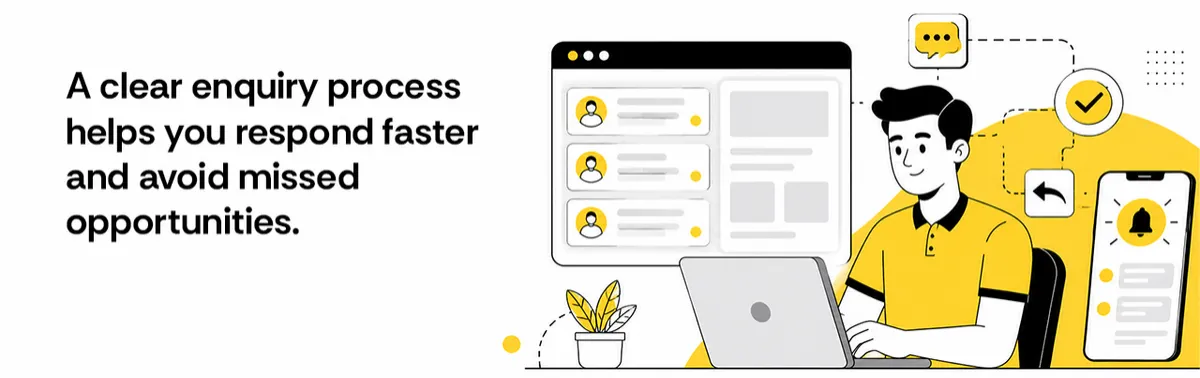
Why enquiries are important
An enquiry is a sign that someone may be interested in your business.
They may want to know:
What you offer
How much it costs
Whether you service their area
When you are available
How to book
What happens next
If your enquiry process is unclear, customers may not follow through.
A good enquiry process helps you:
Receive the right information
Respond quickly
Keep track of customer requests
Reduce back and forth messages
Build trust from the first contact
Make the enquiry option easy to find
Customers should not have to search for a way to contact you.
Add enquiry options in useful places such as:
The top section of your home page
The services page
The contact page
Near service descriptions
At the bottom of key pages
Use clear button wording.
Good button examples:
Send an enquiry
Request a quote
Ask about availability
Book a call
Contact us
Avoid vague wording such as Submit or Click here where possible.
Keep your form simple
A simple form is easier for customers to complete.
For many small businesses, these fields are enough:
Name
Email address
Phone number
Service needed
Message
You can also add one or two useful questions if they help you respond properly.
For example:
Preferred date
Suburb or service location
Type of service
Best time to contact
Avoid making the first form too long. Long forms can stop people from sending the enquiry.
Ask only for information you need
Only collect information that helps you respond to the enquiry. Do not ask for sensitive details unless there is a clear business need and you understand your privacy responsibilities.
Avoid asking for:
Bank details
Card numbers
Passwords
Tax file numbers
Health details
Government ID numbers
If a customer needs to share detailed information, arrange a safer way to collect it after the first enquiry.
Explain what happens next
Customers feel more confident when they know what to expect. Add a short message near your form or on the confirmation screen.
Examples:
Simple form note: Send us your enquiry and we will contact you to discuss your request.
Clear response timeframe: We aim to respond within one business day.
Quote request note: Please include your suburb and the service you need so we can respond with the right information.
Only include a response timeframe you can manage.
Make sure enquiries go to the right place
Check where form submissions are sent.
They may go to:
Your business email
A website dashboard
A customer management system
A notification inbox
Make sure you know where to find them. Use an email address you check often. Avoid sending enquiries to an old personal email address or an inbox you rarely open.
Test your form before publishing
Always test your enquiry form. Submit a test enquiry using your own details.
Check that:
The form submits properly
Required fields work
The enquiry arrives in the right inbox
The message is easy to read
The customer receives a confirmation, if one is set up
The form works on mobile
Do this again after making changes to the form or contact page.
Reply promptly
A fast, clear reply creates a good first impression.
When replying to an enquiry:
Use the customer’s name
Thank them for contacting you
Answer their main question
Ask for any missing details
Explain the next step
Include your contact details
Keep your reply friendly and direct.
Example:
Hi Sarah,
Thanks for your enquiry about end of lease cleaning in Parramatta.
We can help with this. To provide a quote, could you please send the number of bedrooms, bathrooms and your preferred cleaning date?
Kind regards,
[Business Name]
Keep track of enquiries
Do not rely on memory. Use a simple tracking method.
This may be:
A notebook
A spreadsheet
Your email folders
A customer list
A booking tool
Your website dashboard
Track basic details such as:
Customer name
Contact details
Date received
Service requested
Status
Follow-up date
Outcome
This helps you avoid forgetting customers.
Set a follow-up habit
Some customers may not reply straight away. A polite follow-up can help.
Example:
Hi Sarah,
I just wanted to check if you still need help with your end of lease clean. I am happy to answer any questions or provide a quote if you are still interested.
Kind regards,
[Business Name]
Do not send too many follow-ups. One polite follow-up is usually enough.
Review common questions
Over time, enquiries can show what customers do not understand on your website. If customers often ask the same question, add the answer to your website.
Common questions may include:
Do you service my area?
What are your prices?
How do I book?
What is included?
How long does it take?
Do you offer weekend appointments?
Use customer questions to improve your website content.
Quick checklist
Check that your website:
Has enquiry buttons in clear places
Uses a simple enquiry form
Only asks for needed information
Explains what happens after submission
Sends enquiries to the right inbox
Has been tested on desktop and mobile
Has a clear reply process
Has a simple way to track enquiries
Includes answers to common questions
Suggested task
Send a test enquiry through your own website.
Write down:
Did the form submit properly? [Yes or no]
Did the enquiry arrive in the right inbox? [Yes or no]
Was the enquiry easy to read? [Yes or no]
Did the customer receive a confirmation message? [Yes or no]
Did the form work on mobile? [Yes or no]
What needs to be fixed? [Add your notes]
Related topics

MTC FutureReady acknowledges the Traditional Custodians of the lands on which we live, meet and work, and pays respect to Elders past and present. We are committed to walking together in meaningful reconciliation.
Explore
Learn & build
get in touch
© 2027 MTC Digital · BusinessReady — a learning resource